
1 / 6
Open it instantly
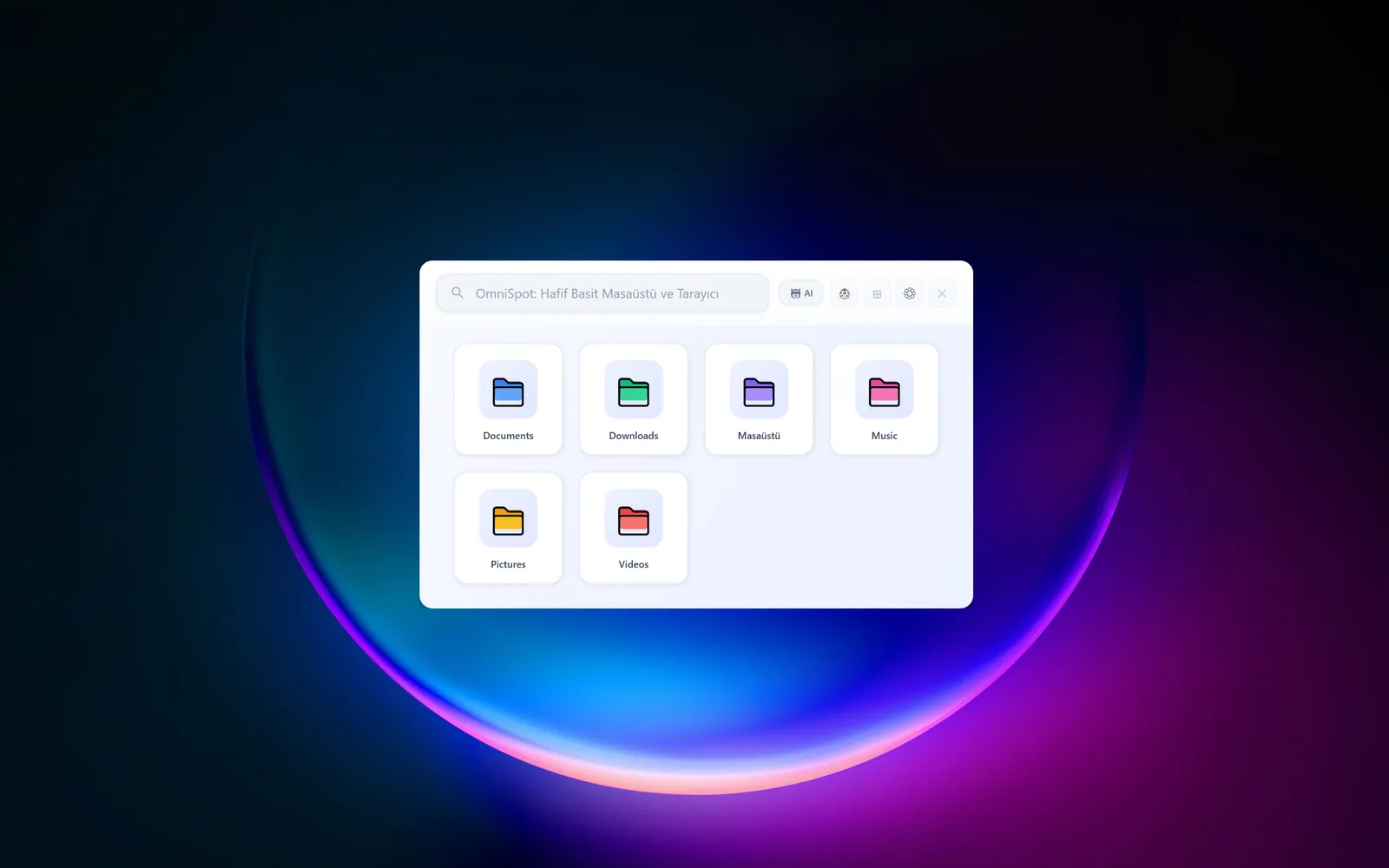
Ctrl Space, from anywhere in Windows. It feels less like another app window and more like a layer on top of the system. Indexed locations and the watcher status are on the first screen.
~/projects/omnispot
Find files with Ctrl Space, not by remembering names.
A local file launcher that opens from anywhere in Windows. Search, folder browsing, previews and file actions on one surface. AI mode is optional; I draw the line further down.
Windows desktop tool · solo developer · 2025–2026 · .NET 8 · C# 12 · WPF · Windows 10/11 · ready to use, actively updated

1 / 6
Ctrl Space, from anywhere in Windows. It feels less like another app window and more like a layer on top of the system. Indexed locations and the watcher status are on the first screen.
2 / 6
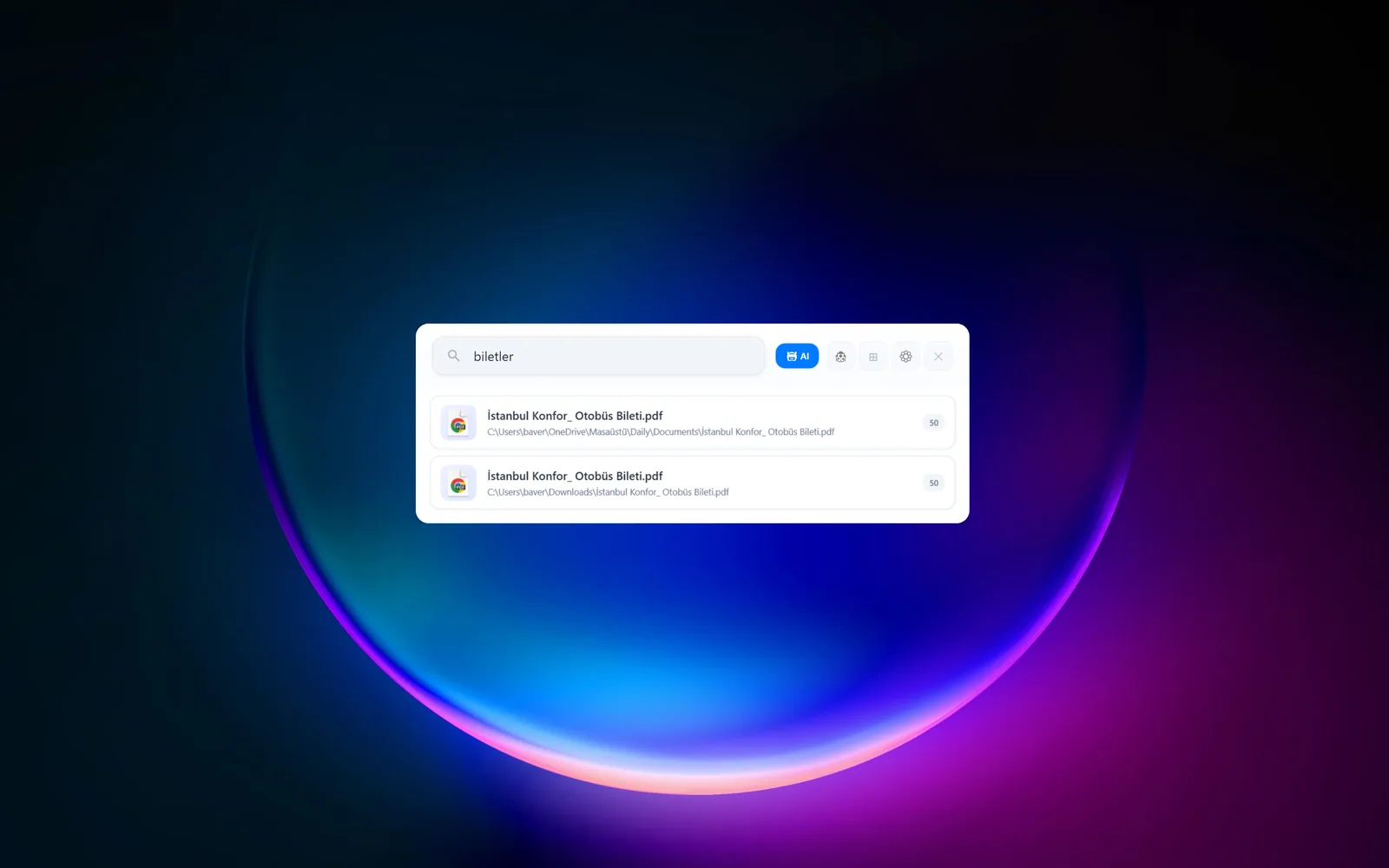
Classic file-name search runs entirely on the device. The index matches as you type; results arrive with their path and match score. Nothing leaves the machine in this mode.
3 / 6
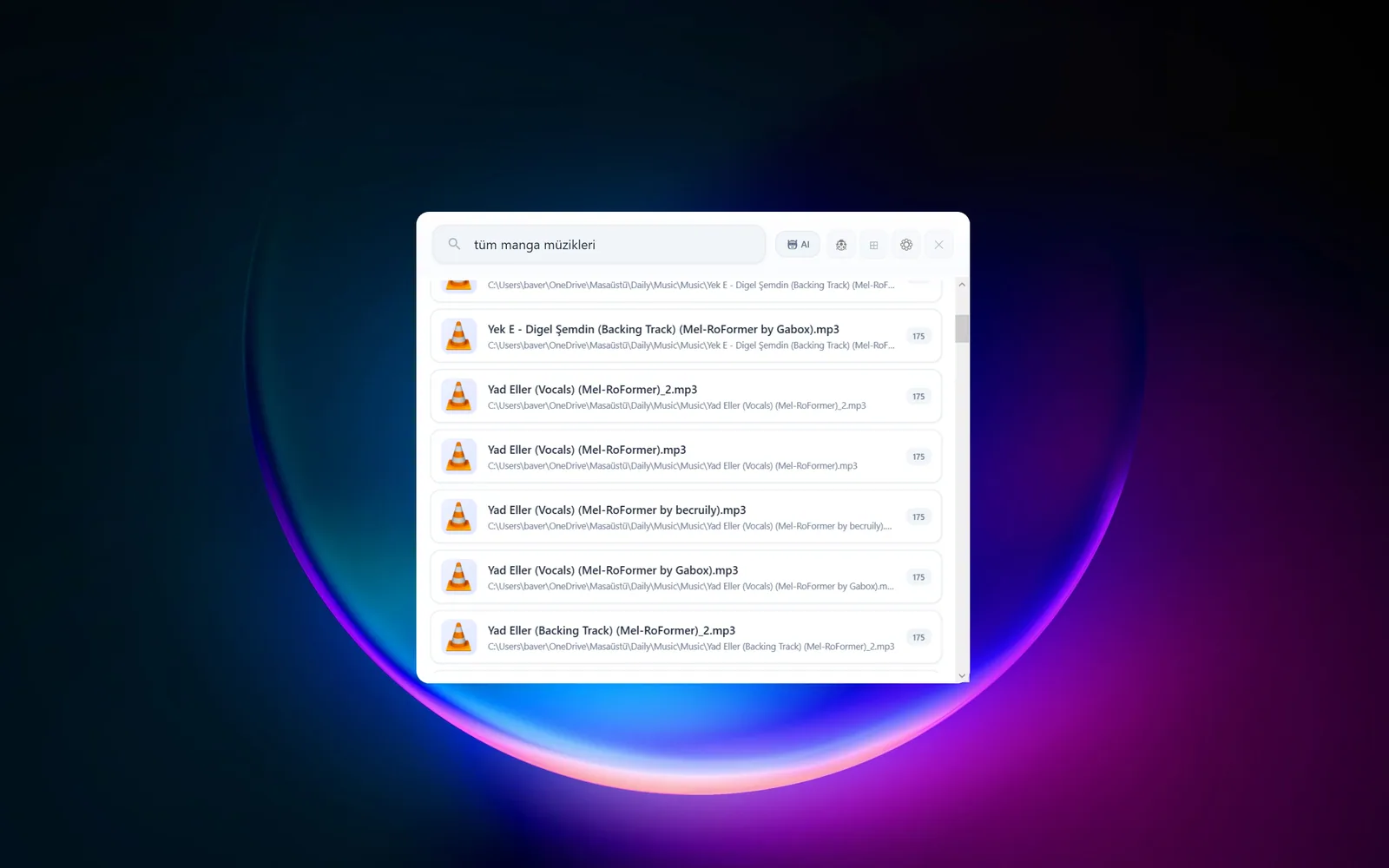
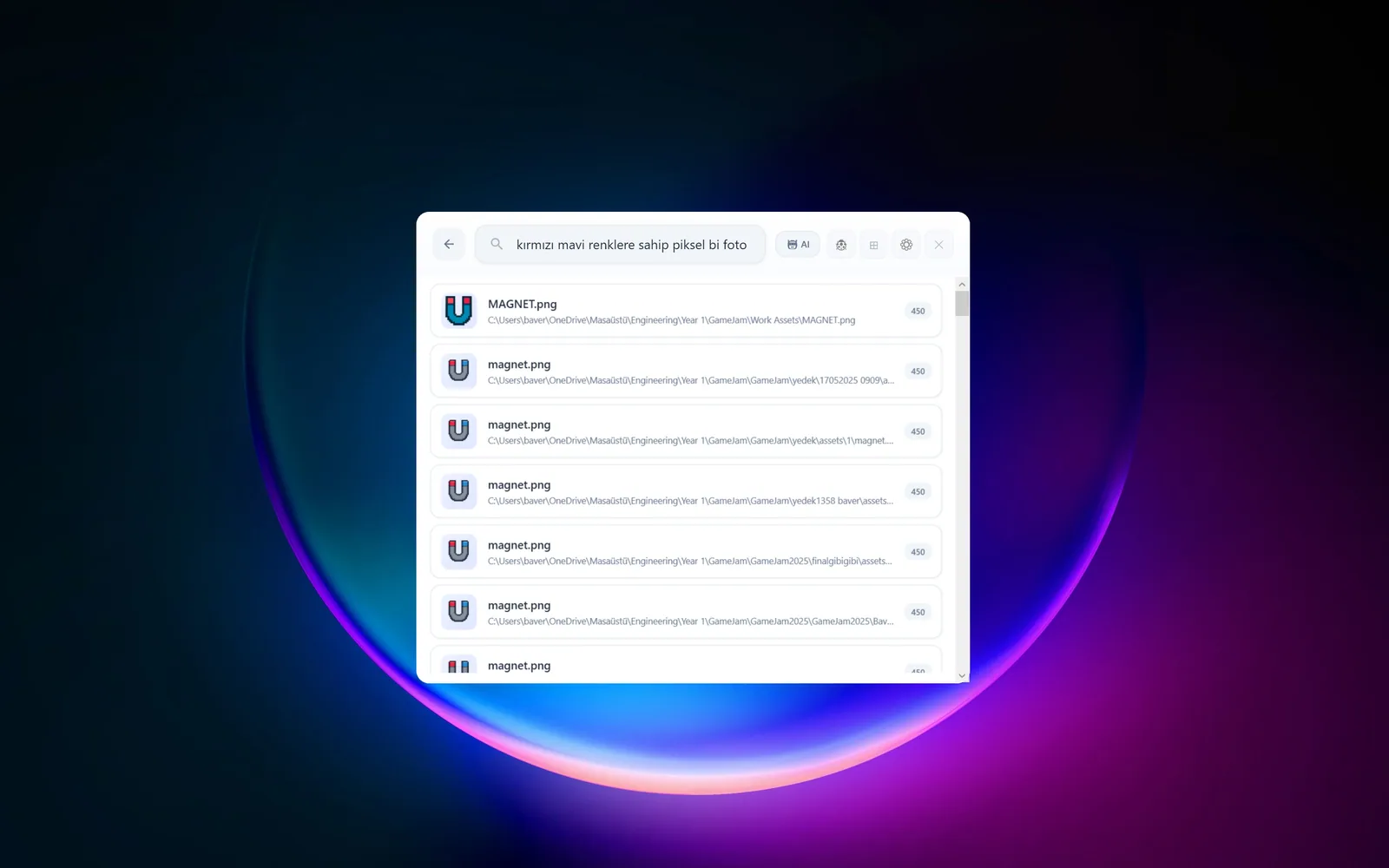
AI mode turns a sentence into filters, like "images I changed in Design this week". Online, only the query text goes to Groq; matching still happens in the local index. Offline, a narrower local parser takes over.
4 / 6
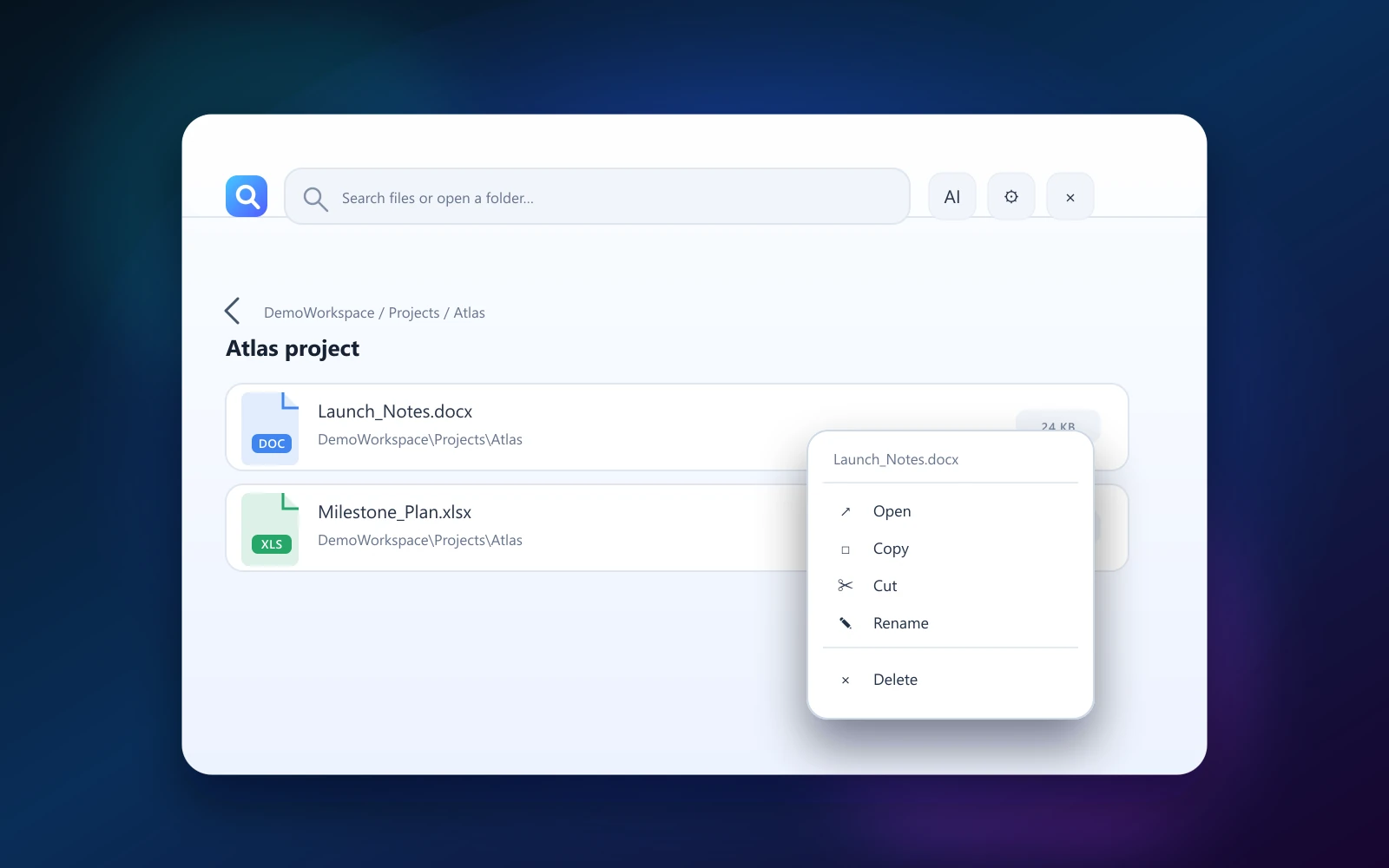
Browse folders with a breadcrumb. Thumbnails for images and videos show you have the right file before you open it; colour-coded folders make scanning faster.
5 / 6
Open, copy, cut, rename, delete: all from a right click, on the same surface. No trip back to Explorer, no lost context.
6 / 6
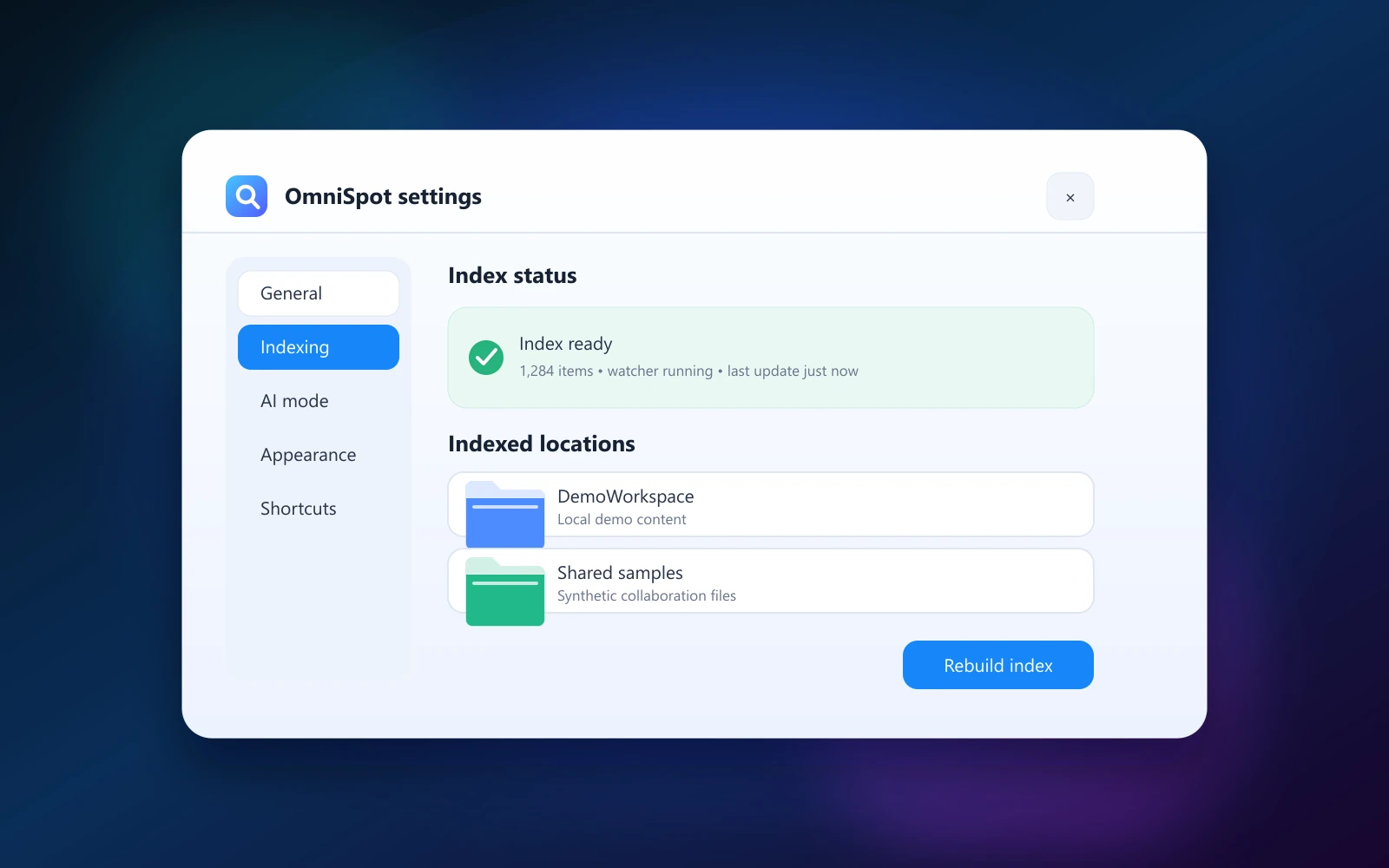
Several folders are indexed and the watcher follows their changes. You add locations in settings and rebuild the index when needed. Nothing invasive is changed on the system.
under the hood
What runs behind the window above, in six scenes.
1 / 6
On every keystroke the query is split into tokens. Case and Turkish-character differences disappear at this stage.
tokenizer · case- and Turkish-insensitive
2 / 6
Each token instantly finds the files that contain it in the index. A one-letter typo still leads to the same file.
inverted index · Levenshtein distance 1
3 / 6
An exact match beats a partial one, and files you opened before move up. The list re-sorts as you type.
exact 100 · partial 25 · opened ×2
4 / 6
When a file is renamed, the disk records it and a separate service picks it up. While the app is closed it queues changes; when you open it, the index is up to date.
USN journal → ChangeFeed → SQLite
5 / 6
In AI mode only the sentence you type goes to Groq, and filters come back. File names, paths and contents never leave the device.
Groq · 2 parallel requests: intent, keywords
6 / 6
When the connection drops, a narrower rule-based local parser reads the sentence, and the interface says so. Classic search is not affected at all.
offline fallback · rule-based
proof
The scenes above redraw these screens; all of them were captured with a synthetic DemoWorkspace.
engineering notes
Both: a breadcrumb, no tree. As fast as a launcher, enough of a browser that you never lose your place.
The model only gives terms a role: required, ranking, context. The app sets the weights.
Previews, folder hints and clearly scoped actions make it hard to act on the wrong file.
structure
.NET 8 · C# 12 · WPF · SQLite
0 / 72
automated tests, all passing
Search, concurrency, indexing, watcher, navigation, settings and connectivity.
reflection
In a local tool, speed only counts when it comes with trust. I learned to strike that balance with WPF, a global hotkey and a file-system index.
next